Thursday, 22 December 2011

Blogger VS Wordpress Which to use?

Can’t decide which to choose WordPress or Blogger?
Whether you are starting out or switching platforms, this article/lists compares the two services.

Free accounts, and no limit, no payment on bandwidth (when viewers look at your blog).
Simple editors and HTML accesss.
Both get into searches easily, with Blogger having an association with Google.
A few things both have:
So let us clarify first some confusion about WordPress:
WordPress.com –> a free blog site that you use the software on (what you would use on the site). No AdSense or scripting allowed.
WordPress.org –> you use the software on your own hosted site/domain you pay for. You can use AdSense and scripting on this.
Here are my lists of BASIC comparisons for beginners.
WordPress — does not allow any javascripting or other selected coding but is extremely reliable with 3000 MBs worth of files (limited extensions),no bandwidth issues, great stats, public message board for help!, light ads appear on your free blog now and then but they are not intrusive.
You can have multiple blogs on one account or link blogs together on one membership.
Can use any email service to open a blog.
Free stats come with your blog in the control panel. Stats include how many times posts have been viewed, times they have been looked at, and long term stats plus more tools.
A non-Java stat can be added to an HTML box on the sidebar but you get limited results.
 Having stats on the control panel is very convenient so you don’t have to check into another account to view them.
To add an HTML box to WordPress sidebar –> in your control panel go to Appearance then to Widgets.
Select “Text” widget then drag and drop into your sidebar.
Open it up, name it, and add your text, code, or links.
Wordpress does not support Java Scripting.
Some templates allow banner customization while others don’t but plenty to choose from and they are adding more.
All templates come with a fixed font per template that cannot be changed unless you change them in the HTML edit OR buy annual CSS access and change it there as well as customize.
Domain allowed if you buy CSS access.
You can also have pages at your WordPress blog in addition to your blog. Pages come with neat/clean URLs and can be nested.
Page URLs can be customized.
Pages or blog entries can be password protected.
Contact Page code provided and emails are sent to the email address associated with your site.
Also, with pages, you can create galleries with thumbnails. (downside: no multi-uploads)
Spam control Akismet built in with comments (first time posters/commenters will be in approval que).
Comments can be edited by blog owners (take out naughty words or URLs).
Commenter’s can leave their URLs and Email addresses, a plus if you are running GiveAways.
Widget selection (limited) for the sidebar so you can include a blog search.
Polls can be added through Poll Daddy — you will need to sign up for an account.
Drafts
Pre date future entries, scheduled posts, and back dated posting.
Sticky posts (keep an important post at the top of your blog.)
Can make your blog private up to x people.
AdSense not allowed.
Additional notes:
Ads sometimes indiscreetly appear on all free blogs. You can pay annually ($30) to have them removed.
You can also pay for upgrades in storage (varies) or customizing CSS ($15).
There are more advanced features (free and paid) associated with WordPress than Blogger, that you can use later as you progress through your blogging experience.
WordPress in 2010 offered many new templates that included customizing backgrounds with your own images, and customizing footers, or sidebars.
They also added optional sharing buttons and email sharing/subscriptions when someone posts a comment on a blog you commented on to keep the discussion moving like a conversation.
Sharing buttons show by default unless you unclick them before you publish or update.  You would have to go through all former posts to change that default if you wish not to allow sharing.
Short links for posts are available.
Overall WordPress is extremely reliable with more uptime and offer improvements or upgrades all the time, latest is adding Twitter to your sidebar. They also have a fabulous help forum.
Blogger/BlogSpot — associated with Google/gmail (need gmail account).
No costs or costs for upgrades are associated with Blogger/BlogSpot.
More than one blog can be on an account.
Blogs can be public or private, which allows you to close your blog temporarily if you have to.
You can add adsense to your Blogspot blog in HTML boxes.
Allows plenty of customizing (free) on your CSS template (most two columns) no matter what you choose, no ads, and allows various scripting.
The Minima is the easiest template to work with and the one most people choose to add a third column (requires tweeking the CSS).
Many template codes to use from other services (with branding) that offer copy and paste codes to drop into your HTML layout box. 
 The Cutest Blog on the BlockShabby Blogs   |    *Cute n Cool Blog Stuff*
 Pyzam | Blogskins
More sophisticated templates: Blogger Tricks

8/10 Stats now available with every blog in navigation tabs. You can also have another  third party application and add the codes.
Google analytics can still be used.
Use Google documents/files with your account, make public or viewers must be signed in with Google to view them.
Create a contact form in Google Docs for your blog – WordPress provides a code for your contact page.
Ten pages associated with your blog but you can create static pages or use Google Sites with your blog by linking those pages up to your posts. (Google Page Creator is due to close late 2008, Google sites replaces it.)
Can use your own domain name without a Blogger sur-fee.
Drop and drag system for customizing although to add more customizing, you may have to change or add coding (had to do this to add an HTML box under the banner).
Upload and your image is stored at Picasa, a program you must download to use.
Polls can be created on your site as an element/widget selection.
Pre or post date entries, scheduled posts, sticky post (but you must date it to the future to stay to the top, then  it falls into proper place when the date comes and goes.).
Auto-posting – select a time and date in the future and the post automatically posts.
Post by email – can even post to your blog if you are having problems logging in!
Drafts — write it now, post it later — always check the date for the URL — I have found that if not pre- or post dated properly, you get the date that you created the draft on.
Select fonts and size per entry — not fixed with a template choose like WordPress.
Spellcheck!
Comments –> can be changed to your own wording! “Have your say” “Talk to Me”, etc.
Comments can be a pop up box or on a page. (Everyone gets the same choice at WordPress)
Comments can have text from the blog author when people open up the comment box.
Comments do not have email boxes, can be opened,  moderated or use word verification, cannot be edited.
8/10 — Possible spam comments get filtered and you can delete them.
Overall — more control over comments at Blogger/Blogspot than at WordPress.
Blogger is nice with the customizing and all the scripting they allow but they do shut down a lot for service and there are the infamous Blogger Burps.
Burps take a long time to be fixed.
Sometimes you can be visiting, then try to comment when you get the blank page and troubles.
Blogger has a help forum also but you wait a long time for a reply or help.
Issues I have run into:
At the present time, I cannot add a second author to my blog due to “internal error”. So it is a wait and see, like so many other people.
At the present time, I have an entry which the font will not conform to standards set and I can’t seem to change it (a burp for me) in an edit with or without the HTML box.
The Fix – I had to open a new blog and import all the posts from the one giving me trouble.
Also Post dated an entry but it did show up in the present time in my RSS feed. Not a happy camper with that.
One of my blogs I started — all of a sudden, I could not view it but had access to everything else.  The error message would also change.  One month later, still no access although I posted several messages on the official message boards with no reponse after a week. (Immediate help/support at WordPress.)
Many people start on Blogger but migrate to WordPress and “don’t look back”.
However, just for fun, I did a Google Fight with WordPress and Blogger and the difference was one million more for Blogger, but then again, Google owns Google Fight.

Monday, 12 December 2011

Get Links and Traffic from Trending Topics

Taking advantage of trending topics is a tremendous opportunity to net more links and more traffic for your site while using a relatively small amount of resources. The beauty of promoting trending content is that you can ride the wave to additional free links beyond your initial promotional push. Who can argue with letting the masses do some of the work for you?
So, what’s involved?

Watching Your Space 

Below this post, I’ve listed lots of trending tools I use to keep on top of things – fresh from my own bookmarks. Do your homework, watch the ebb and flow of news, and look for a story or issue that’s suddenly spiking and is generally topically relevant to your space. If you’re in the business-to-business (b2b) space, you’ll have to be a little forgiving here and think more in terms of topic instead of specific industry.

Choosing the Topic

Be a critical thinker when choosing your topic to build links with this trending method. You want to spot matter that’s already trending or that’s just starting to build a buzz. Keep your eyes peeled for subjects that people will be blogging about and have opinions on. Often times, there’s some trial and error involved, but the principle is simple: what is generating talk? If you’re a bean counter, you can create all kinds of metrics to gauge the ‘trendability’ of potential topics. Monitor tweet numbers, look for spikes in Google trends, see if traditional media is picking up on it, or you can use a combination of many factors.

Writing the Copy That People Will Link To

For this method, use only high quality content – seriously don’t skimp here. Low quality content on even the most wildly viral topic will not get links. I have one guiding tip for people looking to create with super trending content: what would a comprehensive guide to your chosen issue look like? Some traditional copywriting models you can refer to is a timeline of the issue, background to how the issue started, and creating an issue profile outlining different perspectives on the topic at hand. These are just suggestions; the key is to create the best possible piece of content to fit the issue that people will link to.

Adding an SEO Layer to Your Content

People will link to this type of content in one of two ways: they’ll either link with the page title of the content or with your domain name. Leverage this by sneaking in a couple of words you’re targeting in the title of the content. As a hypothetical example, say you’re in the real estate industry and you’re looking at house fires as a prospect for trending content development. Include the word “real estate” in the <title> tag, try to sneak the word “estate” somewhere in the article title, and also sneak the words “real estate” somewhere in the body of your article.

Promote, Promote, Promote

There are many ways to promote high quality content on the web. Do everything you can to reach out to people discussing your trending topic, and try to get a link on their existing content. This is seemingly the hard part of reaping the benefits of trending links, but you don’t need to do too much. You just need to get a couple of good links, enough so that your page is found by Google and starts to rank. If the page is actually good, once it gets the initial rankings it’ll start to pick up links on its own, without prolonged effort by you.

Rinse and Repeat

Some of your efforts may be more successful than others, but you should yield at least a couple of good high quality links from the lion’s share of your attempts. A bonus to this method is that it’s completely within Google’s webmaster guidelines.

Sharing My Trending Tool Stash

There are so many great trending tools out there that I thought I’d share some of my favorites with you.
  • Google Trends
    Google Trends only shows numbers across the years, but it’s a decent visual tool. I wouldn’t call it the root of all trending truth in the world, but it’s good as a secondary tool. I recommend using Google Trends when you want to examine spikes in popularity.
  • SEOMoz Popular Pages
    This has a super huge list of popular keywords, it’s downloadable and good place to get inspired. It’s also just plain fun to explore for popular keywords.
  • News Timeline
    This is the cooooolest thing ever! This is great if you’re doing social media engagement and content writing for link development. News Timeline is a must have tool in your arsenal if you’re looking for news related items. It organizes information into a nice, neat, beautiful calendar, and it’s even searchable, showing you the whole week of the issue you’re researching. You can sort by the day, year, month or decade…..soooo cool! Please, PLEASE go to the url and type something in! How I use it: I type in some of my favorite keywords and go to town. I want to tell you exactly how to build links with this, but you gotta buy me a drink first ;)
  • Google Insights
    I like this tool better than Google Trends because it shows you the top rising searches for whatever keyword you input, which Trends doesn’t. You can also see rising searches per keyword, and you can filter your results by region and timeline. Even though Google Insights won’t give you numbers, you can compare timelines to see if there’s that sudden increase in traffic.
  • Google Hot Trends
    How convenient – Hot Trends even has an igoogle gadget when you click on a hot search, which is kind of cool. This is too rarified for my tastes, but it’s fun to click around on. You can find a couple of trending content idea jewels using Hot Trends.
  • Trendistic
    Trendistic is one of those awesome Twitter trending tools. Pop in a keyword and Trendistic shows you trending data for 24 hours, 7 days, or 30 days.
  • Blog Pulse Trend Search
    With this tool, you can compare multiple phrases and specify date ranges of 2 months, 3 months, and 6 months. You can also drill down into the graphed data and see numbers, which is novel as far as trending tools are concerned, believe it or not.
  • wikipedia trends
    This tool shows you what is trending on wikipedia. Great for trusted content ideas.
  • Trendsmap
    Really cool Twitter cloud of what people are talking about most.
  • Ebay Pulse
    I included this just for fun. This tool shows you what’s the most popular stuff on ebay.

Sunday, 11 December 2011

Increase Your Blog Traffic by using Google

Getting traffic and making your blog becomes a popular blog in your chosen niche depend mostly on one thing and that thing is how your website stands on top popular search engines. Google being the number one search engine giant throughout the world is one of the best platforms for bloggers to drive traffic to their respective blogs so far the blogger in question knows well how to do it successfully. Optimizing your blog for search engine, especially Google will help you get more traffic and regular visitors to your blog on regular basis than using any other technique that aren’t going to give you better result for a very long period of time.
seo-google
I have in this article three useful technique to use if you want to increase your website traffic worth and if you want to make sure that you keep on getting more people coming to your blog on regular basis for the sake of reading all what you’ve got to share with them.
Guest Post for other blogs
Taking some time out of those tight schedules of yours to write guest posts for other blogs in your niche will help you drive more people from search engines to your website than using any other unfruitful means which promises nothing than failure.
Make it a point of duty to have a schedule guest posting plan in place so that you can keep on building good and quality backlinks to your website on regular basis. Upon writing for others, you should make sure that you’re writing what will make people sees you as an expert in the field you’re writing about. You should make them see you that you have all it takes and not to see you as someone who’s appearing in another man’s shadow.
Write Often on Your Blog and be Friendly with others
One of the major factors that can make your guest blogging efforts counts is when you let Google bots see your website the way it supposed to be. When you guest posts on other blogs and you didn’t update your website on regular basis, which means you don’t have what it takes to occupy the position you are targeting on Google and even some other search engines like Yahoo and countless others.
Google loves to rate a blog that have latest and updated contents every time and if you’re not having latest and hottest content on your blog, Google might decide not to rank the site better since the bot weren’t be able to crawl anything on the blog at that particular time.
Do link exchange and avoid bad sites
One of the thing that can make it hard for you as a blogger to excel is when you don’t have more blogs pointing to your own websites on regular basis. And to do continuous linking from other blogs, you need to have a mutual relationship with other bloggers in your niche. Getting your links published on other blogs isn’t a small task also, so you need to contact other bloggers to help you linkback to your blog and in return you link back to them as well.

Saturday, 10 December 2011

Optimize your page for better search engine visibility

Recent researches revealed that the online marketing is getting more popular than ever before with the advancement of internet facilities all throughout the world. Therefore most of the business owners, managers and product sellers are focused on internet based business strategies. One of the most common strategies they used is selling products through business websites and applications. Even though most people used to make a website or a blog consists of their own products they were unable to sell their products due to poor traffic (less number of customers) to their websites. The primary reason for this is the poor knowledge in website promotion and product promotion.

SEO or in other words Search Engine Optimization is the key in driving targeted customers/visitors to any website or a blog. Successful Seo strategies will make more and more sales through your website by promoting it to targeted groups, countries or regions.

SEO strategies can be broadly divided different categories such as;
    1. On page optimization / Off page optimization 
    2. Short term SEO / Long term SEO
The primary idea of this article is to stress you the important factors which affect the On page optimization of a website. We will address the other SEO related topics through our next few posts.

On Page Optimization

On Page Optimization consists of strategies where all the actions are taken place inside the website/blog in order to improve the visibility of that particular website for major search engines including Google, Yahoo, AOL and etc. This is one of the most popular SEO strategies used by webmasters with the intention to bring more customers for their product. All the components of On Page Optimization is based on website template and the links inside the website. Let's discuss those strategies one by one.

    1. Most webmasters used to use attractive templates for their websites. But they are not aware of the size of the template they used. Most of the attractive templates are consist of lot of background images. Therefore they are heavy. These heavy templates are neglected by search engines. Because of this those websites with heavy templates may not appear on the first page of SERP (Search Engine Result Page). The indirect meaning is you will loose 60-80% of traffic from search engines. 
    2. As I mentioned earlier most of these attractive websites consists of hidden background images. Most of them are not optimized. This will increase the loading time of your website and slow your website. No need to tell no one likes to waste their time on a non responsive website. If anybody still want to use a attractive template they can optimize and reduce the size of their images by using an image optimizer tool. 
    3. High number of images and java scripts will increase the number of HTTP requests. This will delay the loading time of a website/blog. Again no one like to wait for a slow website. To reduce the number of HTTP requests most webmasters embed their java scripts inside the template of the website/blog. At the same time they use the minimum number of images per page. Both there tricks can reduce the number of HTTP requests and speed up a website/blog. 
    4. Some templates use external java scripts. Reduce the number of external java scripts is again important in on page optimization to improve the performance of a website/blog 
    5. CSS Sprites is a new method of reducing the number of images on a template without changing the appearance of a website/blog. It will merge all the images in to a one image and use the merged image inside the template. This will reduce the number of images to load while loading a website/blog. 
    6. Multiple external CSS files increase the loading time of a website/blog. Embedding CSS style sheets inside the template will help to solve this problem. 
    7. Higher number of widgets and gadgets will delay your website. Make sure to add minimum number of widgets and gadgets inside your home page. 
    8. Use the above mentioned methods to reduce the size of the web/blog page. It will reduce the number of HTTP requests which in turn reduce the loading time of the website. The high speed websites will appear in the front of the SERP. This will bring you thousands of targeted visitors to your website/blog. 
    9. Optimization of title is another key factor in search engine optimization. A title with higher keywords will appears within the first few results of the SERP. Use appropriate header tags for the title of a blog page (h1 tags are more search engine friendly than other header tags). 
    10. Apply META tags separately to each and every post will improve the visibility of the content of a website through search engines. This is still effective even though the most of the major search engines neglect META tags (If you are using blogger read this to learn How to add different META tags to your blog). 
Summary;
    Reduce the size of your home page by reducing the number of images (by Css sprites) inside the website/blog including the template images.   
    Embed Java and Css scripts inside the template. 
    Reduce number of widgets 
    Optimize title tag 
    Apply META tags
Recommendations;
    1. Use one HTML file 
    2. Reduce Total number of objects less than 20 
    3. Use one CSS file (External Css files should be less than 2) 
    4. Total size of the webpage should be less than 100 kb (less than 150 also acceptable) 
    5. Reduce external Java script to maximum of 2. 
    6. Reduce the size of the images less than 50kb 
    7. Total external scripts size should be less than 20 kb. 
    8. Avoid multimedia files as much as possible.
These are the key aspects in On Page optimization. We will discuss more on SEO (Search Engine Optimization) on future posts. We appreciate your feed back on this post.

10 Reason For Pagerank Drop

Considering the value of a website/blog to Google they assign Google Page Rank to each and every website/blog. The pages inside that particular website/blog also will have a page rank. Depending on the page rank Google will decide where to place your website or the blog in SERP (Search Engine Result Page). The Google page rank is a scale between numerical values of 0 to 10. Zero means not ranked by Google (least important for Google). The websites with page rank of 10 is considered as the most important sites for Google. No need to say that the most important websites are appearing on the first page of SERP.
If you can bring your website/blog to the first page of SERP, you will be able to drive thousands of targeted traffic in to your blog via search engines. But this is not that easy. You need to work hard on SEO (Search Engine Optimization) to bring your website/blog to the first page of SERP. Both on page optimization and off page optimization is vital in this process. Making a SEO friendly blog is the key in getting a Google page rank.
One of the most important assets of Google Page Rank is, how to keep it without dropping down. This is a major problem for most of the webmasters. You should think of it right now because if it happens, then even 3-4 days without search engine rankings may bring a significant loss in your traffic and sales.
In order to prevent from this I recommend you to learn following 10 possible reasons which may involve in dropping down your web page ranking. If your rank is already dropped you may able to bring it back by adhering to following factors.
1.         Initially Google may give you a high ranking until it falling in to realistic ranking. It is like a period of honeymoon. Real problems may come out few months after a marriage. As it is Google will initially give you a better PR (Page Rank) initially. But later they decide the real value of the site after reviewing it.
2.      After the end of this period you required to prove yourself that your website/blog is important to the community. To prove yourself you may require to be focused more on low competitive keywords rather than high competitive keywords. At the same time you need to update your website/blog regularly with original and useful content. High quality incoming link may quicken the process.
3.      The Google algorithm is updating regularly. It may not show any significant change in traffic to your website/blog.  But later you may notice that your page rank has dropped. This may not a direct effect of algorithm update. It occurs because sites with your backlinks are affected with algorithm updates. To prevent this keep on backlink building.
4.    Malware is the other important factor for dropping your PR. If Google detect any malware on your site/page it will notify and warn the potential visitors who are expecting to visit your site. This will make a huge drop in your traffic. Even most webmasters who are providing backlinks to your blog may break the backlinks if they detect any malware on your blog. You can check whether Google has detected any malware on your blog by using Google Webmasters Tool. After removing those malware you will be able to get your regular traffic back.
5.          Sever issues also play a major role in page rank and indexing your page on SERP. If Google bot cannot read your website, they will not be able to index your pages on SERP. So it is a must to select a better hosting service to host your website/blog.
6.           Broken links is another vital factor in search engine ranking. If your blog consists of tons of broken links, it will be a major cause in dropping down your PR. It is not an easy job to check all the broken links manually. I am using Free Broken Link Checker Tool to check my broken links.
7.          Duplicate or copied content is a major factor that affects your Google PR. Google hate copied content. So make sure not to post any copied content from other websites or article directories. I am using Free CopyScape Tool to check copies of my posts in web.
8.      If your Robot.txt file blocks the crawling of your site, you may require correcting it before it makes a big damage to your website/blog.
9.          Use acceptable SEO techniques to drive traffic. Never use black hat SEO techniques to drive traffic to your website/blog such as traffic exchange. Google will penalize websites which uses black hat SEO techniques.
10.       Sometimes the position in SERP will changed within few days even without changing the PR. This implies that your site is regaining the higher rank shortly.
Finally what I want to stress you is, keep updating your site with high quality content and make backlinks to your blog as much as possible. If you play your role effectively, Google will play their role for the favour of your website/blog.

Increase Search Engine Visibility, Traffic and Backlinks For Your Website

Search Engine Visibility

search engine marketing How to Increase Search Engine Visibility, Traffic and Backlinks For Your WebsiteSEO (Search Engine Optimization) means making your website get more noticed in SERP (Search Engine Results Page). The more noticeable, the higher the rank, high rate of popularity and hence more opportunities your way, here are few tips to make your website stand out among thousands.
  • Maximum Exposure
Blog Search Engines like Technorati, sphere and Ice Rocket are the powerful weapons to build your blog or website. Create an account in these sites and it will let your readers know whenever you update.  Get yourself featured in organized directories such as Google (the biggest giant of all),Yahoo and MSN.
  • Make your Website Search Engine Friendly
You can make your website friendly by paying attention to what you update on your blog. Content really matters and so do images. Heavy images often reduce search engine visibility. Maintain your website or blog actively as it’s the best way to make your site more search engine friendlier. Run content related advertisement, this will help.
  • Keyword Search
Correct keywords make a world of difference. Do a keyword search that is relevant to your site and add them in your post. They will help your page rank better. Keyword search is a successful market strategy that is strongly suggested by the experts. Try to weave as many keywords as possible in your web page.

Traffic

In simple words, traffic is about number of hits your website gets and how many people are interested in reading your web contents.
  • Coin a title that boost traffic- not reduce it!
Title is what that must include most important tag. Name of your page title does matter. Write a title that is catchy, snappy and grabs the attention instantly. Make sure that your page is relevant to your title. It won’t hurt to include 15-20 words description that should summarize the functionalities of your page.
  • Tag, Categorize, Sub-categorize
Tagging maximizes the traffic so tag religiously on your blog posts. Include as many relevant tags as possible. By categorizing and sub-categorizing, it will easier to search what people are looking for and will make your site user friendly.
  • Fresh and Original Content
There are not really great tricks to boost traffics, you can achieve high traffic temporarily but it matters to have value added content on your site. Content that is original and fresh. Content that gets to update on regular intervals. Make sure your content is worthy of being read by millions of people.

Backlinks

Backlinks are actually the main building block of good SEO because they are the links that are directed to your website. Why they are important is because search Engine such as Google gives more importance to site that have number of quality backlinks.
  • Include backlinks in your signature
Whenever you’re emailing or posting a comment on another site, make sure to include your link in your ID. Leave your signature with a short bio after every post you write whether for your own blog or for article based websites such as Sooper Articles.
  • Link Request
Request relevant sites to link you and link relevant sites in your website, make it a win-win situation for both parties. Make sure there is a content of high quality on your website; this will make requesting for backlinking way easier for you. Let’s suppose if someone have a site about rescuing animals and receives a backlink about wild animals then it will be more relevant to search engine assessment.
  • Achieve Quality Backlinks
Entice visitors to come to your website; you really can’t expect people to automatically know the existence of your website. Spread the word by doing quality backlinks and look for natural links and build it with time.
These are the few tips to achieve search engine visibility, traffic and quality backlinks for your website and blog.

Thursday, 8 December 2011

55 SEO tips You Must Read And Follow for better Indexing In Google

Everyone loves a good tip, right? Here are 55 quick tips for search engine optimization that even your mother could use to get cooking. Well, not my mother, but you get my point. Most folks with some web design and beginner SEO knowledge should be able to take these to the bank without any problem.

1. If you absolutely MUST use Java script drop down menus, image maps or image links, be sure to put text links somewhere on the page for the spiders to follow.

2. Content is king, so be sure to have good, well-written and unique content that will focus on your primary keyword or keyword phrase.

3. If content is king, then links are queen. Build a network of quality backlinks using your keyword phrase as the link. Remember, if there is no good, logical reason for that site to link to you, you don’t want the link.

4. Don’t be obsessed with PageRank. It is just one isty bitsy part of the ranking algorithm. A site with lower PR can actually outrank one with a higher PR.

5. Be sure you have a unique, keyword focused Title tag on every page of your site. And, if you MUST have the name of your company in it, put it at the end. Unless you are a major brand name that is a household name, your business name will probably get few searches.

6. Fresh content can help improve your rankings. Add new, useful content to your pages on a regular basis. Content freshness adds relevancy to your site in the eyes of the search engines.

7. Be sure links to your site and within your site use your keyword phrase. In other words, if your target is “blue widgets” then link to “blue widgets” instead of a “Click here” link.

8. Focus on search phrases, not single keywords, and put your location in your text (“our Palm Springs store” not “our store”) to help you get found in local searches.

9. Don’t design your web site without considering SEO. Make sure your web designer understands your expectations for organic SEO. Doing a retrofit on your shiny new Flash-based site after it is built won’t cut it. Spiders can crawl text, not Flash or images.

10. Use keywords and keyword phrases appropriately in text links, image ALT attributes and even your domain name.

11. Check for canonicalization issues – www and non-www domains. Decide which you want to use and 301 redirect the other to it. In other words, if http://www.domain.com is your preference, then http://domain.com should redirect to it.

12. Check the link to your home page throughout your site. Is index.html appended to your domain name? If so, you’re splitting your links. Outside links go to http://www.domain.com and internal links go to http://www.domain.com/index.html.
Ditch the index.html or default.php or whatever the page is and always link back to your domain.

13. Frames, Flash and AJAX all share a common problem – you can’t link to a single page. It’s either all or nothing. Don’t use Frames at all and use Flash and AJAX sparingly for best SEO results.

14. Your URL file extension doesn’t matter. You can use .html, .htm, .asp, .php, etc. and it won’t make a difference as far as your SEO is concerned.

15. Got a new web site you want spidered? Submitting through Google’s regular submission form can take weeks. The quickest way to get your site spidered is by getting a link to it through another quality site.

16. If your site content doesn’t change often, your site needs a blog because search spiders like fresh text. Blog at least three time a week with good, fresh content to feed those little crawlers.

17. When link building, think quality, not quantity. One single, good, authoritative link can do a lot more for you than a dozen poor quality links, which can actually hurt you.

18. Search engines want natural language content. Don’t try to stuff your text with keywords. It won’t work. Search engines look at how many times a term is in your content and if it is abnormally high, will count this against you rather than for you.

19. Not only should your links use keyword anchor text, but the text around the links should also be related to your keywords. In other words, surround the link with descriptive text.

20. If you are on a shared server, do a blacklist check to be sure you’re not on a proxy with a spammer or banned site. Their negative notoriety could affect your own rankings.

21. Be aware that by using services that block domain ownership information when you register a domain, Google might see you as a potential spammer.

22. When optimizing your blog posts, optimize your post title tag independently from your blog title.

23. The bottom line in SEO is Text, Links, Popularity and Reputation.

24. Make sure your site is easy to use. This can influence your link building ability and popularity and, thus, your ranking.

25. Give link love, Get link love. Don’t be stingy with linking out. That will encourage others to link to you.

26. Search engines like unique content that is also quality content. There can be a difference between unique content and quality content. Make sure your content is both.

27. If you absolutely MUST have your main page as a splash page that is all Flash or one big image, place text and navigation links below the fold.

28. Some of your most valuable links might not appear in web sites at all but be in the form of e-mail communications such as newletters and zines.

29. You get NOTHING from paid links except a few clicks unless the links are embedded in body text and NOT obvious sponsored links.

30. Links from .edu domains are given nice weight by the search engines. Run a search for possible non-profit .edu sites that are looking for sponsors.

31. Give them something to talk about. Linkbaiting is simply good content.

32. Give each page a focus on a single keyword phrase. Don’t try to optimize the page for several keywords at once.

33. SEO is useless if you have a weak or non-existent call to action. Make sure your call to action is clear and present.

34. SEO is not a one-shot process. The search landscape changes daily, so expect to work on your optimization daily.

35. Cater to influential bloggers and authority sites who might link to you, your images, videos, podcasts, etc. or ask to reprint your content.

36. Get the owner or CEO blogging. It’s priceless! CEO influence on a blog is incredible as this is the VOICE of the company. Response from the owner to reader comments will cause your credibility to skyrocket!

37. Optimize the text in your RSS feed just like you should with your posts and web pages. Use descriptive, keyword rich text in your title and description.

38. Use captions with your images. As with newspaper photos, place keyword rich captions with your images.

39. Pay attention to the context surrounding your images. Images can rank based on text that surrounds them on the page. Pay attention to keyword text, headings, etc.

40. You’re better off letting your site pages be found naturally by the crawler. Good global navigation and linking will serve you much better than relying only on an XML Sitemap.

41. There are two ways to NOT see Google’s Personalized Search results:
(1) Log out of Google
(2) Append &pws=0 to the end of your search URL in the search bar

42. Links (especially deep links) from a high PageRank site are golden. High PR indicates high trust, so the back links will carry more weight.

43. Use absolute links. Not only will it make your on-site link navigation less prone to problems (like links to and from https pages), but if someone scrapes your content, you’ll get backlink juice out of it.

44. See if your hosting company offers “Sticky” forwarding when moving to a new domain. This allows temporary forwarding to the new domain from the old, retaining the new URL in the address bar so that users can gradually get used to the new URL.

45. Understand social marketing. It IS part of SEO. The more you understand about sites like Digg, Yelp, del.icio.us, Facebook, etc., the better you will be able to compete in search.

46. To get the best chance for your videos to be found by the crawlers, create a video sitemap and list it in your Google Webmaster Central account.

47. Videos that show up in Google blended search results don’t just come from YouTube. Be sure to submit your videos to other quality video sites like Metacafe, AOL, MSN and Yahoo to name a few.

48. Surround video content on your pages with keyword rich text. The search engines look at surrounding content to define the usefulness of the video for the query.

49. Use the words “image” or “picture” in your photo ALT descriptions and captions. A lot of searches are for a keyword plus one of those words.

50. Enable “Enhanced image search” in your Google Webmaster Central account. Images are a big part of the new blended search results, so allowing Google to find your photos will help your SEO efforts.

51. Add viral components to your web site or blog – reviews, sharing functions, ratings, visitor comments, etc.

52. Broaden your range of services to include video, podcasts, news, social content and so forth. SEO is not about 10 blue links anymore.

53. When considering a link purchase or exchange, check the cache date of the page where your link will be located in Google. Search for “cache:URL” where you substitute “URL” for the actual page. The newer the cache date the better. If the page isn’t there or the cache date is more than an month old, the page isn’t worth much.

54. If you have pages on your site that are very similar (you are concerned about duplicate content issues) and you want to be sure the correct one is included in the search engines, place the URL of your preferred page in your sitemaps.

55. Check your server headers. Search for “check server header” to find free online tools for this. You want to be sure your URLs report a “200 OK” status or “301 Moved Permanently ” for redirects. If the status shows anything else, check to be sure your URLs are set up properly and used consistently throughout your site.

Effective Way to Generate Backlink and Increase Traffic

This article is for those who want to quickly create free quality backlinks. Since you are searching about backlinks, i am damn sure that you know everything about backlinks and its importance. Let me quickly mention the importance of backlinks in 2 lines:
  • Source of Traffic – Backlinks are the source of traffic to your web site and more the number of backlinks from quality high traffic pages you will get more Referral Traffic from other web sites.
  • Search Engine Ranking – The number of backlinks and its quality decides the importance of any web page (for most of the search engines esp. Google). So it directly affects the ranking of your site and every one wants to place their site on top 10 for the Targeted Keywords. Right ?
Okay, i don’t want to drag the topic, lets see the technique which quickly creates QUALITY backlinks for your web site.
Know Your Targeted Keywords.
I believe you all know your targeted keywords. I mean, the keywords for which you want your website to rank top in search engines. I am also sure that you know your targeted keywords, if you don’t know them first have it ready !
List Down Top 5 Sites.Quick Backlinks
Go to Google.com and search your keyword. Note down the top 5 web sites coming in the results page. Similarly, search all your keywords and keep the list of top web sites appearing in the results page. We are going to find the backlinks of these web sites now.
Find Out Backlink Sources.
Now you have the list of top web sites for each keywords. These sites are placed in top 10 that means they are already recognized well by search engines. They have good content (that’s other story leave it as of now) and they have Quality backlinks (that’s more important now).
Use the Yahoo Site Explorer (its free) to analyze the backlinks of these web sites. It won’t take much time, with a single click Yahoo Site Explorer shows all backlinks for the given web site. Go to each backlink and see the type of link created.
You will see variety of
  • links from blog comments,
  • links from article directories,
  • links from forums,
  • links from guest posts,
  • natural links too…
Note it down and give importance to the top 5 websites “only” because they are highly recognized by search engines (if you have more time analyze more than 5 web sites).
Now Start Creating Backlinks.
So you have a clear idea of where to create backlinks ? for your web site same like the top 5 performers.
  • Take Simple Steps First: Comment on the same blog where your competitor had commented. Join the same forum and add links to your signature same like your competitor.
  • Secondly, Complex Steps: Submit article to the same article directories (write articles with similar content) and submit guest posts to same blogs where your competitor had submitted (with similar type of content).
Backlink Creation Phase/Frequency.
Note down, sudden increase in backlinks definitely shows a false alarm by search engines (esp Google). So keep the phase or frequency of creating backlinks at a constant and slow rate (say, 3-6 links per day).
And an external resource which helps you on how to create high quality backlinks ? By simply repeating all these steps, you could create quality backlinks ? that too quickly. With increasing the number of quality backlinks, your web site gets more Referral Traffic as well as it gains search engine’s authority over a period of time ! I have tried this method and seen increase in traffic as well this blog climbed top 10 for few of my targeted keywords !

Incoming search terms:
  • free quality backlinks
  • create free backlinks
  • how to create free backlinks
  • generate free backlinks
  • add free backlinks
  • how to create backlinks free
  • .....
     

build free backlink to attract google


It is out of question that quality backlinks are crucial to SEO success. More, the question is how to get them. While with on-page content optimization it seems easier because everything is up to you to do and decide, with backlinks it looks like you have to rely on others to work for your success. Well, this is partially true because while backlinks are links that start on another site and point to yours, you can discuss with the Web master of the other site details like the anchor text, for example. Yes, it is not the same as administering your own sites – i.e. you do not have total control over backlinks – but still there are many aspects that can be negotiated.

Getting Backlinks the Natural Way

The idea behind including backlinks as part of the page rank algorithm is that if a page is good, people will start linking to it. And the more backlinks a page has, the better. But in practice it is not exactly like this. Or at least you cannot always rely on the fact that your contents is good and people will link to you. Yes, if your content is good and relevant you can get a lot of quality backlinks, including from sites with similar topic as yours (and these are the most valuable kind of backlinks, especially if the anchor text contains your keywords) but what you get without efforts could be less than what you need to successfully promote your site. So, you less than what you need to successfully promote your site. So, you will have to resort to other ways of acquiring quality backlinks as described next.

Ways to Build Backlinks

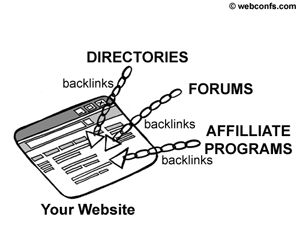
Even if plenty of backlinks come to your site the natural way, additional quality backlinks are always welcome and the time you spend building them is not wasted. Among the acceptable ways of link building are getting listed in directories, posting in forums, blogs and article directories. The unacceptable ways include inter-linking (linking from one site to another site, which is owned by the same owner or exists mainly for the purpose to be a link farm), linking to spam sites or sites that host any kind of illegal content, purchasing links in bulk, linking to link farms, etc.
The first step in building backlinks is to find the places from which you can get quality backlinks. A valuable assistant in this process is the Backlink Builder tool. When you enter the keywords of your choice, the Backlink Builder tool gives you a list of sites where you can post an article, message, posting, or simply a backlink to your site. After you have the list of potential backlink partners, it is up to you to visit each of the sites and post your content with the backlink to your site in it.
You might wonder why sites as those, listed by the Backlink Builder tool provide such a precious asset as backlinks for free. The answer is simple – they need content for their site. When you post an article, or submit a link to your site, you do not get paid for this. You provide them for free with something they need – content – and in return they also provide you for free with something you need – quality backlinks. It is a free trade, as long as the sites you post your content or links are respected and you don't post fake links or content.

Getting Listed in Directories

If you are serious about your Web presence, getting listed in directories like DMOZ and Yahoo is a must – not only because this is a way to get some quality backlinks for free, but also because this way you are easily noticed by both search engines and potential visitors. Generally inclusion in search directories is free but the drawback is that sometimes you have to wait a couple of months before you get listed in the categories of your choice.

Forums and Article Directories

Generally search engines index forums so posting in forums and blogs is also a way to get quality backlinks with the anchor text you want. If the forum or blog is a respected one, a backlink is valuable. However, in some cases the forum or blog administrator can edit your post, or even delete it if it does not fit into the forum or blog policy. Also, sometimes administrators do not allow links in posts, unless they are relevant ones. In some rare cases (which are more an exception than a rule) the owner of a forum or a blog would have banned search engines from indexing it and in this case posting backlinks there is pointless.
While forum postings can be short and do not require much effort, submitting articles to directories can be more time-consuming because generally articles are longer than posts and need careful thinking while writing them. But it is also worth and it is not so difficult to do.

Content Exchange and Affiliate Programs

Content exchange and affiliate programs are similar to the previous method of getting quality backlinks. For instance, you can offer to interested sites RSS feeds for free. When the other site publishes your RSS feed, you will get a backlink to your site and potentially a lot of visitors, who will come to your site for more details about the headline and the abstract they read on the other site.
Affiliate programs are also good for getting more visitors (and buyers) and for building quality backlinks but they tend to be an expensive way because generally the affiliate commission is in the range of 10 to 30 %. But if you have an affiliate program anyway, why not use it to get some more quality backlinks?

News Announcements and Press Releases

Although this is hardly an everyday way to build backlinks, it is an approach that gives good results, if handled properly. There are many sites (for instance, here is a list of some of them) that publish for free or for a fee news announcements and press releases. A professionally written press release about an important event can bring you many, many visitors and the backlink from a respected site to yours is a good boost to your SEO efforts. The tricky part is that you cannot release press releases if there is nothing newsworthy. That is why we say that news announcements and press releases are not a commodity way to build backlinks.

Backlink Building Practices to Avoid

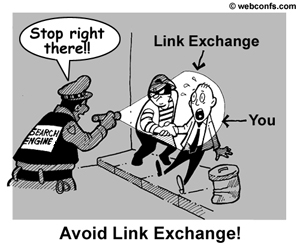
One of the practices that is to be avoided is link exchange. There are many programs, which offer to barter links. The principle is simple – you put a link to a site, they put a backlink to your site. There are a couple of important things to consider with link exchange programs. First, take care about the ratio between outbound and inbound links. If your outbound links are times your inbound, this is bad. Second (and more important) is the risk that your link exchange partners are link farms. If this is the case, you could even be banned from search engines, so it is too risky to indulge in link exchange programs.
Linking to suspicious places is something else that you must avoid. While it is true that search engines do not punish you if you have backlinks from such places because it is supposed that you have no control over what bad guys link to, if you enter a link exchange program with the so called bad neighbors and you link to them, this can be disastrous to your SEO efforts. For more details about bad neighbors, check the Bad Neighborhood article. Also, beware of getting tons of links in a short period of time because this still looks artificial and suspicious.
.....

Trick to Increase Your search engine Visibility in Under 5 Minutes google

Google now holds a 70% market share of the search engine game and increasing your visibility in Google Search is key to gaining new clients. In addition, you may have noticed that Google now displays 7 local listings and a map when you search for a local business or service. Guess what? Graphic design is a service and a business. You can immediately increase your visibility to potential clients in your area by registering yourself in Google’s Local Business Center.
google-local-for-designers
Local SEO for Graphic Designers
It takes about 5 minutes to sign up and fill out your info. At the end, they need to verify your account by phone or postcard. I chose phone and received a call within 10 seconds of submitting my listing. Voila! I found myself in Google Maps a few minutes later.
google-local-business-for-designers
In a busy city like Los Angeles it isn’t easy to be ranked in normal search results, but follow these tips to increase your visibility in both general search and google maps search.
  • Use words that describe your service like Logo Designer, Freelance Designer, etc. in your listing. I used SEO Consultant in the example above
  • Add your website address to your local listing; add your local address to your website (in html text, not flash, not image)
  • Guest post on blogs and link back to your site with words like “logo designer in los angeles” or “web designer in west la”
  • If you are a web designer who has worked with local businesses, ask them for a “web design by______” link in the footer.
  • Ask past clients to add reviews for you on Google Maps
Even if you don’t get ranked in general search results, you may find that clients will find  you by browsing the area closest to their business. For example, my listing didn’t show up until I moved the map near my address. Lucky for me, there are a ton of office buildings nearby.
.....

Improve Your Search Result Visibility In Google

Amit Singhal, a Google Fellow in charge of the ranking team at Google, shed some light on the google search results algorythm on the Official Google Blog yesterday. By no means a quick and easy answer on how to improve your result in Google, he simply outlines what Google feels are the 3 most important factors in how Google ranks pages for keyword results:
  1. Best locally relevant results served globally.
  2. Keep it simple.
  3. No manual intervention.
Now, the second and third criteria aren’t really going to help you get your search result in Google. The fact that the Google ranking team spends millions $ to “keep it simple” and not manually intervene with results is not earthshattering news. So let’s take a look at what Google means by their somewhat cryptic philosophy of “Best locally relevant results served globally.”
According to Singhal,
Given our passion for search, we absolutely want to make sure that every user query gets the most relevant results. We often call this the “no query left behind” principle.
OK, so we know they want to improve how Google finds our site in search results. But it doesn’t exactly outline any ways to make your search result rank move up, nor does it improve how Google finds me. Since they’re not going to spell it out for us, maybe I can help explain some ways to improve your search results and how to improve your name visibility on Google.
We know Google has been pushing the local search, and they are beginning to place greater relevancy in the rankings of local results. For example, do a search for a professional topic on Google, such as “lawyer.” About the 3rd result or so will be a Google map mashup with about a dozen or so local lawyers pinned on to the map (hopefully) in your area. Obviously, if you are promoting a local professional service, you want to be on this list.

How to Get Listed in Local Search Engine Results

It’s pretty easy to get into Google’s local results, just create an account, enter your business address and information, and they’ll mail you a postcard with a PIN number on it in about a week to confirm that your business is actually located at the address you listed. Just visit the URL on the postcard and enter your PIN and you’ll be in the local search results. It of course doesn’t hurt to repeat this technique and add your local address information on other local search sites, such as Yahoo, MSN and SuperPages (all free).
Alright, we’ve determined how to establish a locally relevant result if you are actually promoting a local professional service. But what about just a branded web presence, a website without a physical location – how would you get such a site in the top results of Google?
We obviously can’t get into local results, but we certainly can generate our listing in the “relevant results served globally” part of the equation. I’ve already written several topics on the subject, so here’s a quick outline of:

5 Steps to Follow to Improve Your Search Results

Web Design. The first thing you want to do is make sure your web design is easily accessible, the navigation is intuitive, and your branded look and feel is consistent throughout the design. In short: make it look good, and make it easy to read. If you don’t have the ability, it’s worth the investment to hire an experienced professional in web design.
Semantic Coding. Once you have a web design ready, it’s important that you apply on-page SEO factors such as semantic coding. This is a method of coding which uses HTML code to actually describe the content on the page, rather than use irrelevant tags. For example, place important page titles in H1 tags, not just inside some div or table tag. Also pay attention to on-page SEO ranking factors.
Identify Google Keywords for Search Engine Optimization. Do some research on trends in your market. Don’t just guess at what someone is going to type into a query to find you; spend the time and find both high profile and perhaps some long tail keywords.
Top 10 ways to increase Google ranking. I’ve already outlined quite a few techniques to increase your PageRank and how to improve your results in Google. Some of these are easy to apply, such as using SEO-friendly URLs, appropriate Title and Meta Tags, optimizing your internal linking structure, etc., and some require more work, such as the off-page SEO factor link building.
Link Building for Search Engine Optimization. In order to determine which results are relevant to any query, Google loves links. Establish plenty of incoming links to your site with appropriate anchor and title text, and make sure they’re from sites which relate or are relevant to yours. Also don’t be afraid to link out to relevent, authoritative websites (although you may want to use rel=nollow tags to keep your PageRank power confined to your own site). Google is going to determine a document with several outbound links to related information is more useful to a user’s query than just a stale page with no links for additional information.
I hope I’ve helped to provide an easy outline to follow to increase your visibility in Google search engine results. It’s not quick nor easy, but if at first you don’t succeed, try again. If that doesn’t work, think about hiring a professional NJ SEO and Search Engine Marketing Service :)
.....

Increase Your Search Engine Visibility: Three Things You Can Do Today

There are hundreds of things you can do at your Web site (and off site) to increase your search engine visibility, and if you’re in a competitive market you’ll need to do a whole lot more than three of them.
Your established competitors have hired search engine experts to get their sites to rank higher than yours and new competitors are coming on board all of the time, looking to displace you from the first page of results.
However, sometimes it helps to start with the basics. If you haven’t done these three things listed below, now’s the time to improve your visibility and rank at Google, Yahoo and the rest of the search engines.

Improve Your Title Tags.

I still see business owners making the same mistakes when it comes to title tags. Titles are the words that appear in the title bar of your browser window, not on the Web page itself. (If you’re still not sure what I’m talking about, check out this post on title tags. These titles are probably the most important variable when it comes to ranking well.
Here are some tips for improving your title tags:
  • Use words that your prospects will use at the search engines. They’re more likely to search on what they need, i.e., “green building supplies” or “Cleveland cosmetic surgeon” than the name of your company.
  • Use unique titles on each page. Don’t forget that each page on your site is an opportunity to be found by the search engines, so create unique, descriptive titles for each page.
  • Front load your title with your best keyword phrases. Search engines tend to give more weight to the first few words in a title, so “Skiing with Children: A Practical Guide” will probably do better than “A Practical Guide to Skiing with Children.”

Make It Easy for Search Engines to Crawl Your Site.

Search engines send “spiders” to grab the content from your site, also known as crawling. If a spider has trouble navigating to some or all of your site those pages won’t appear at the search engines. Here are some tips to make sure you’re not creating an unintended gated community:
  • Get rid of Flash navigation. Flash is cool, but shouldn’t be used for navigation on the site if search engine visibility is important to you. It’s especially egregious as a movie on your home page with no other navigation. At this point you’ve told the search engines that they’re not welcome.
  • Get rid of frames. Although search engines have gotten better at navigating framed sites, they still have trouble. In addition, since often the navigation is in one frame and the content in another, a search result may send a visitor to a page with no navigation…in other words, a dead end.
  • Get rid of navigation that relies on JavaScript. Although not all JavaScript navigation is bad, some instances hide the Web page address from the spider, blocking them from a page with potentially great content.

Get More Incoming Links.

Since search engines see quality incoming links as “votes of confidence,” it’s important to cultivate those links. Although there are many ways to get incoming links, here are three proven methods:
  • Get listed in established directories. Although you may blanche at paying for a listing, it’s often the paid directories that carry the most weight at the search engines. If a $299/year listing at Yahoo brings in $1,000 extra in business, that’s a good return on investment.
  • Market your articles. By using an article distribution service like iSnare or The Phantom Writers, you can reach a wider audience and create dozens if not hundreds of links back to your Web site from other Web sites that carry your article.
  • Create link-worthy content. No one’s going to link to your online brochure. Create quality content that is of interest to your prospects and customers. Since people are often more likely to link to a blog over a Web site, consider posting your content to your blog and use your blog to lead people to your Web site for conversion.

In Conclusion

If any of these tips were news to you, make the appropriate changes and watch your rankings improve. If these aren’t enough to give you a satisfactory bump at the search engines, it may be time to bring in a professional.
.....